

GitHub Copilot promises to transform how developers write code, but what does that look like in practice? While the marketing materials showcase impressive capabilities, the real test comes when Product Engineering Teams integrate AI coding assistants into their daily workflows.
We spoke with product engineering teams who’ve been using Copilot for months to understand the genuine impact on their development processes. Their experiences reveal both remarkable wins and important limitations that every team should consider.
This article shares real stories from the engineering frontlines—from initial adoption hurdles to unexpected productivity gains. You’ll discover how teams are leveraging Copilot for legacy code rewrites, complex debugging scenarios, and everyday development tasks.
The First 30 Days: A Product Engineering Team’s Journey
When the Product engineering team at a mid-sized SaaS company first deployed Copilot, expectations ran high. The promise of AI-generated code suggestions seemed like the productivity breakthrough they needed to accelerate feature delivery.
The reality proved more nuanced.
Setup and Integration
The technical setup was straightforward. Within hours, developers had Copilot integrated into their preferred IDEs—primarily VS Code and JetBrains tools. The team established basic guidelines: use Copilot for code generation, but maintain existing code review standards.
Week 1-4 Observations
Initial productivity gains were immediate but uneven. Senior developers adapted quickly, using Copilot to accelerate routine tasks like writing API endpoints and database queries. Junior developers initially struggled with prompt engineering—the art of describing code requirements clearly enough for AI to generate useful suggestions.
The learning curve centered on understanding when to trust Copilot’s suggestions versus when to write code manually. Developers learned to treat suggestions as starting points rather than final solutions.
Quantifiable Results

By day 30, the team tracked measurable improvements:
- 25% reduction in time spent on boilerplate code
- 40% faster unit test creation
- 15% overall increase in feature velocity
- 90% developer satisfaction with the tool
One developer noted: “Copilot doesn’t write perfect code, but it writes good enough code that I can refine quickly. That’s where the time savings happen.”
Rewriting Legacy Code with Confidence
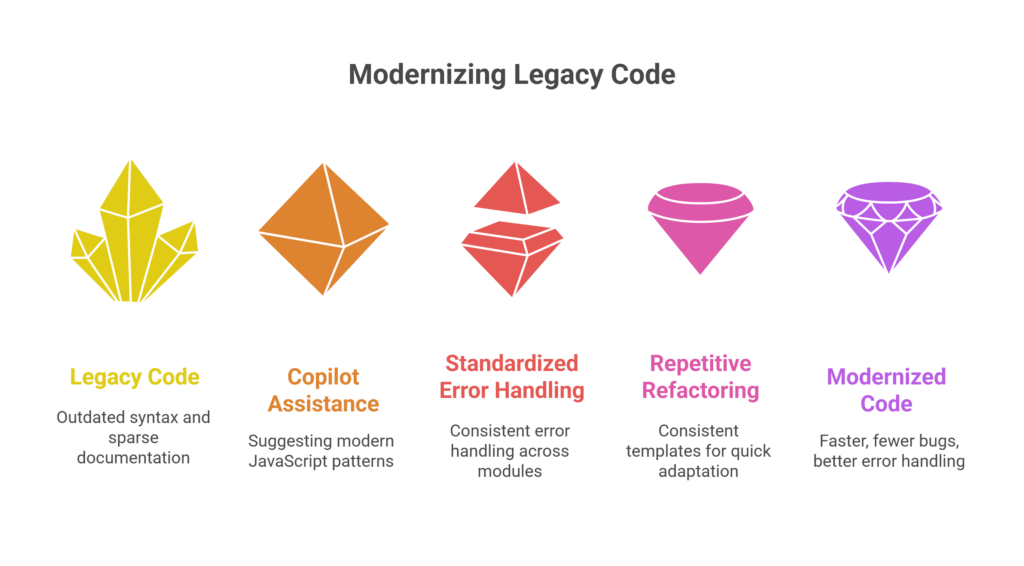
Legacy systems present unique challenges—outdated syntax, missing documentation, and code patterns that don’t align with modern best practices. For one team tasked with modernizing a five-year-old Node.js application, Copilot became an unexpected ally.
The Challenge
The legacy codebase used callback-heavy patterns and inconsistent error handling. Documentation was sparse, and the original developers had moved on. The team needed to refactor thousands of lines while maintaining functionality.
How Copilot Helped
Copilot excelled at suggesting modern JavaScript patterns. When developers selected callback-based functions, Copilot consistently suggested Promise-based or async/await alternatives. The AI also helped standardize error handling patterns across modules.
For repetitive refactoring tasks—like converting similar functions to modern syntax—Copilot’s suggestions provided consistent templates that developers could adapt quickly.
Developer Perspective
“Copilot acted like a knowledgeable pair programmer who remembered current best practices,” explained the lead engineer. “Instead of researching the ‘right’ way to implement patterns, Copilot suggested them automatically.”
Outcome
The refactoring project completed 30% faster than estimated. The team reported fewer bugs in the modernized code, partly because Copilot’s suggestions incorporated error handling and input validation by default.
Debugging Complex Systems Made Easier
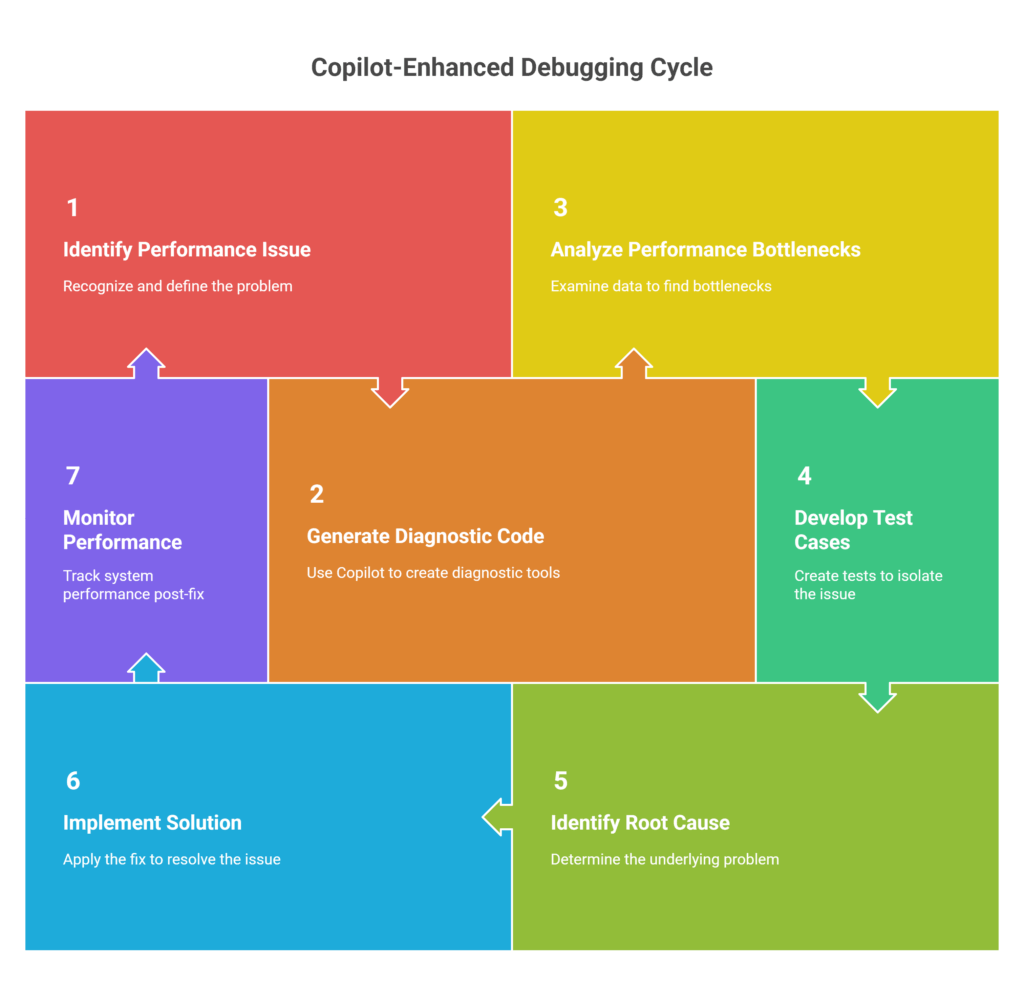
When a critical performance issue emerged in a microservices architecture, the engineering team faced a familiar challenge: identifying the root cause across multiple services and databases.
The Scenario
API response times had degraded by 200% overnight. The issue spanned three microservices, two databases, and a message queue. Traditional debugging approaches—log analysis and performance profiling—were yielding limited insights.
Approach with Copilot
Developers used Copilot to generate diagnostic code quickly. Instead of manually writing database queries to analyze performance bottlenecks, they described the investigation needs in comments, and Copilot suggested appropriate queries.
The AI also helped generate test cases to reproduce the issue in isolation, suggesting edge cases the team hadn’t considered.
Result
The root cause identification process, typically taking 4-6 hours, was completed in 90 minutes. Copilot’s suggestions helped developers explore multiple hypotheses simultaneously rather than investigating them sequentially.
Key Insight
“Copilot thinks like a methodical pair programmer,” observed one developer. “It suggests comprehensive approaches rather than quick fixes, which leads to better problem-solving.”
Unexpected Wins and Everyday Use Cases
While major projects showcase Copilot’s capabilities, everyday development tasks revealed unexpected productivity gains.
Small Tasks, Big Wins
Unit test creation became significantly faster. Developers could describe test scenarios in comments, and Copilot would generate comprehensive test suites including edge cases and mock data.
Data model generation for APIs proved another strength. Copilot consistently suggested well-structured models with appropriate validation rules and type definitions.
Legacy function documentation improved dramatically. Copilot could analyze existing functions and generate clear, accurate comments explaining purpose, parameters, and return values.
Copilot as an Onboarding Assistant
New team members found Copilot invaluable for understanding project structure and coding patterns. The AI’s suggestions helped junior developers learn team conventions naturally rather than through extensive documentation review.
One manager noted: “New hires become productive faster because Copilot guides them toward our established patterns and best practices.”
Tool Synergy
Copilot integrates well with existing development tools. Teams reported particular success combining Copilot with Docker for container configuration, Git for commit message generation, and API testing tools for request/response handling.
Limitations and Lessons Learned
Despite significant benefits, teams encountered clear limitations that shaped their adoption strategies.
Where Copilot Fell Short
Complex business logic requiring domain expertise often produced irrelevant suggestions. Copilot excels at common programming patterns but struggles with specialized algorithms or industry-specific requirements.
Poorly structured prompts yielded poor results. Developers learned that vague comments like “fix this function” generated less useful suggestions than specific descriptions of desired behavior.
Best Practices Developed
Successful teams established clear prompt engineering guidelines:
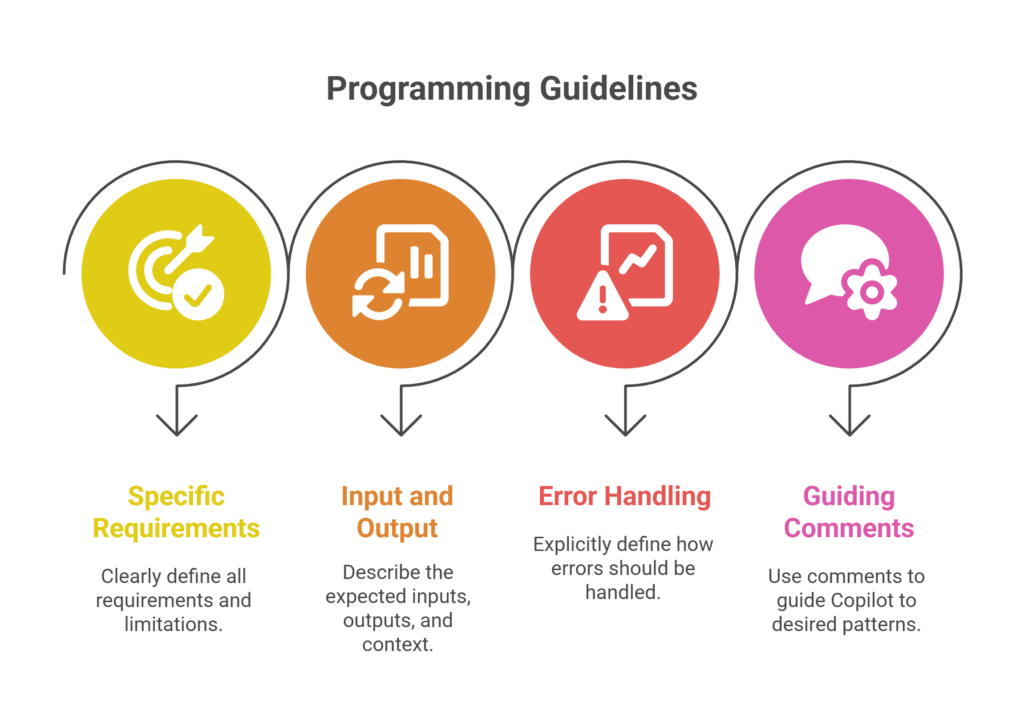
- Be specific about requirements and constraints
- Include context about expected inputs and outputs
- Describe error handling requirements explicitly
- Use comments to guide Copilot toward preferred patterns
Code review processes evolved to include “AI-generated code” verification, ensuring suggestions aligned with team standards and project requirements.
Trust and Verification
Teams developed intuition about when to trust Copilot suggestions. Simple, well-documented patterns typically received high trust, while complex or security-sensitive code required thorough review.
The Verdict: Productivity Amplifier, Not Replacement
After months of real-world usage, Product engineering teams report consistent findings: Copilot amplifies developer productivity without replacing human expertise.
Measurable Impact
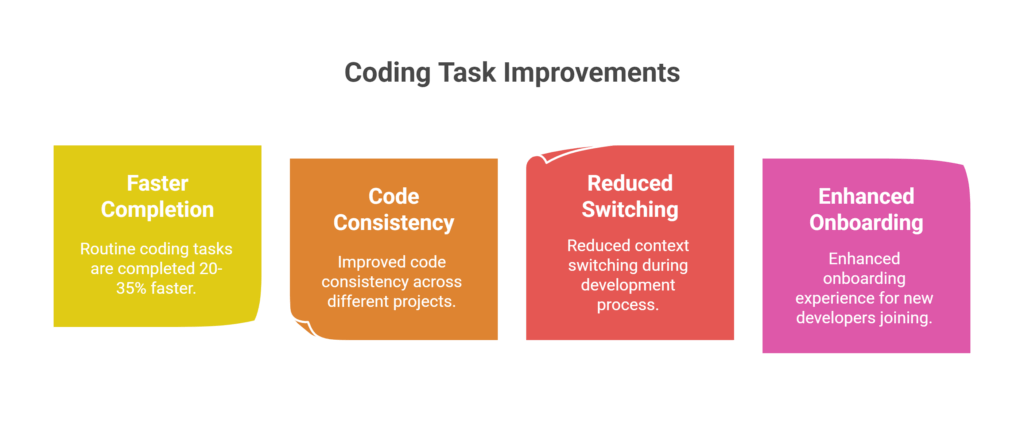
Teams consistently report:
- 20-35% faster completion of routine coding tasks
- Improved code consistency across projects
- Reduced context switching during development
- Enhanced onboarding experience for new developers
Return on Investment
The adoption effort—primarily training developers on effective prompt engineering—typically pays back within 4-6 weeks. Most teams report positive ROI by the second month of usage.
Future Expansion
Teams are exploring Copilot integration in QA automation, DevOps scripting, and technical documentation. The patterns that work for development code apply equally well to infrastructure and testing code.
Transforming Development Through Partnership
The engineering teams we spoke with share a common perspective: AI coding assistants like Copilot work best as collaborative partners rather than autonomous code generators.
Success comes from understanding AI capabilities and limitations, developing effective prompt engineering skills, and maintaining rigorous code review standards. Teams that embrace this partnership approach report significant productivity gains while maintaining code quality.
The future of AI-assisted development isn’t about replacing developers—it’s about amplifying their capabilities and freeing them to focus on complex problem-solving and creative solutions.

 By
By
 By
By